Never Write PsychoPy Scripts Again
A case study in human-AI collaboration for experiment development: building a 646-line N-back experiment with EyeLink integration.
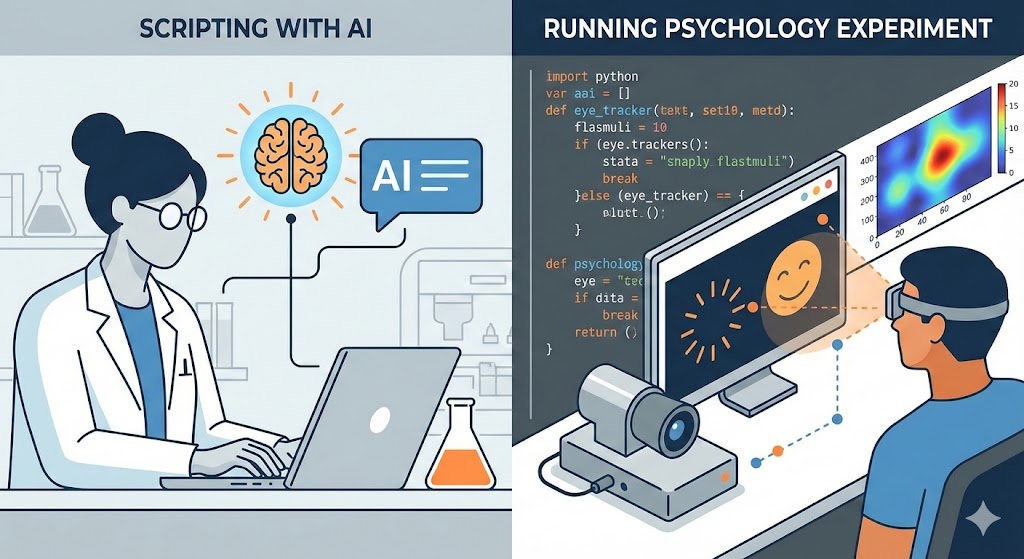
If you’ve ever written a PsychoPy experiment from scratch, you know the pain: timing precision, counterbalancing logic, eye-tracker integration, edge cases for response collection, data logging formats… What should be a straightforward task—present stimuli, collect responses—becomes hours of boilerplate code and debugging.
This post documents a conversation with an AI where I built a 646-line N-back experiment with EyeLink eye-tracker integration. The entire process took about 60-90 minutes of prompting and reviewing. The conversation shows both the power of AI-assisted coding and the importance of domain expertise in guiding the process.
This code has only undergone cursory testing and reflects the status of the script immediately after the AI-coding session. We are currently taking it to the lab for exhaustive testing with the actual eye-tracker hardware and will make changes according to our needs. The uploaded script is included here only so that you can get an idea how good the code generated by the AI is.
The complete script and supporting files are available as a GitHub Gist:
nback_task.py– the final 646-line experiment scriptEyeLinkCoreGraphicsPsychoPy.py– EyeLink helper moduleforeshortening_exp.py– the reference script I provided as a templatespecs.md– the initial task specifications (rough notes copy and pasted from Slack brainstorming)
Setup and Tools
I used Claude Opus 4.5 through the Cursor IDE with the paid plan, though I think that this task would also fit under the free plan. Cursor allows you to reference files in your project using the @filename syntax, which made it easy to point the AI to existing code and specifications.
For this project, I had:
- A reference PsychoPy script (
foreshortening_exp.py) from a previous experiment that demonstrated our lab’s conventions for EyeLink integration, logging, and code structure - A specifications file (
specs.md) with basic task specs from a previous brainstorming meeting (copied from Slack) - The
EyeLinkCoreGraphicsPsychoPy.pyhelper module for eye-tracker calibration graphics
Having a reference script was crucial—it gave the AI concrete examples of how we handle eye-tracker setup, coordinate conversions, CSV logging, and other lab-specific conventions.
The Workflow: Plan, Review, Implement, Refine
My workflow consisted of four distinct phases:
Plan Mode: Cursor has a “Plan Mode” that generates a detailed markdown report before writing any code. I used this to get a comprehensive implementation plan.
Plan Review: I read through the plan carefully, identifying gaps, ambiguities, and design issues. Each issue became a follow-up prompt.
Implementation: Once satisfied with the plan, I asked the AI to implement it.
Code Review: I went through the generated code line-by-line, identifying issues that only become apparent when seeing the actual implementation.
This iterative approach caught problems at each stage before they could compound.
Phase 1: Planning (5 exchanges)
Exchange 1: The Initial Specification
Me:
We want to code a psychopy task to present a single stimulus in the middle of the screen. We need eyetracker integration using Eyelink (see
@EyeLinkCoreGraphicsPsychoPy.py). Some information about the task are in@specs.md. It will be an n-back task with 0-, 1- and 2-back conditions. Use digits as stimuli (0-9), centrally presented, size about 1 visual degree. Each trial will consist of a fixation cross for 200 ms (make these parameters easily adjustable), then the stimulus waiting for the response max 1000 ms (stimulus stays on screen even after response for the full duration), then a jittered ISI of about [100, 500 ms] (showing the fix cross already). Record everything in a log file (the data should be stored under/data), use@foreshortening_exp.pyas a template.
Claude:
Looking at the specs and requirements, I have a few clarifying questions before creating the plan…
The AI generated a detailed markdown plan and asked clarifying questions about experimental design. I reviewed the plan and noticed several issues.
Exchange 2: Counterbalancing and Triggers
What I noticed in the plan: The counterbalancing scheme was underspecified—it didn’t account for multi-session experiments where subjects return on different days. The trigger format for the eye-tracker was also missing.
Me:
The luminance levels and the task blocks should be randomized per person. We need to store these in a file (json) the first time new person comes to the lab and then use it on the other days that person comes in to use the same order of the luminance and task block conditions. Subjects have an individual subject id consisting of three numbers, e.g., “003”. The digit ID can be random but so that we get 20% of matches and the color should also be random but exactly 50% of each. In the trial structure, we can merge the fixation cross and ISI window. Make only one response key for match (no response for mismatch). Send triggers to the eyetracker for all major events (fixcross onset, stim onset, response, block onset). Include trial number, color, task, luminance type in the trigger message with underscores separating them. Each trigger message should start with “trig_”.
Claude:
I’ll update the plan with your modifications…
Exchange 3: Task Order Per Luminance
What I noticed: The updated plan showed a single randomized block order, but our design has multiple luminance conditions that each need their own independent randomization.
Me:
The order json file is not complete; we need to store a different order of the tasks for each luminance condition.
Claude:
Got it - each luminance run should have its own randomized task block order. I’ll update the plan…
Exchange 4: Trigger Naming Convention
What I noticed: The trigger format used underscores within event names (e.g., block_onset), which would make parsing the eye-tracker data files more difficult since we use underscores as field separators.
Me:
In the trigger message, no underscores in the message like “block_onset” should be “blockonset”, “stim_onset” should be “stimonset”
Claude:
Got it - event names should not have underscores internally. Updating the plan…
Exchange 5: Debug Mode
What I realized: Testing eye-tracker experiments is tedious without a quick debug mode. The reference script had this, but I wanted to make sure it was explicit in the plan.
Me:
Include a dummy mode for the eyetracker and a debug version for quick testing so that you can debug yourself (make it a very short debug version).
Claude:
Good idea - adding dummy mode and debug mode for easier development and testing…
Phase 2: Implementation
Me:
Implement the plan as specified…
The AI generated the complete 646-line script in one pass. Here’s a summary of what it created:
Configuration Section
DEBUGandEYETRACKER_DUMMY_MODEflags at the top- Conditional parameters for debug (2 trials, 1 run, 1 block, short durations) vs full experiment (20 trials, 3 runs, 4 blocks)
Subject Order Management
get_or_create_subject_order()function- Creates
data/sub-{ID}_order.jsonwith randomized luminance order and independent block orders per luminance - Loads existing order if file exists (maintaining within-subject consistency across sessions)
Sequence Generation
generate_nback_sequence()– creates digit sequences with exactly 20% matchesgenerate_color_sequence()– exactly 50% grey / 50% red, shuffled
EyeLink Integration
- Dummy mode with
pylink.EyeLink(None) - Full configuration for real tracker (sample rate, calibration, event filters)
send_trigger()function with format:trig_{event}_{trial}_{color}_{task}_{luminance}
Trial Loop
- Jittered fixation (200ms + ISI jitter)
- Stimulus presentation (1000ms, stays on screen after response)
- Single-key response collection for matches
Block Structure
- Welcome screen with task instructions
- Adaptation period with luminance adjustment message
- Block instructions for each task type
- Breaks between blocks and runs
Phase 3: Code Review and Refinement (4 exchanges)
After implementation, I went through the code line-by-line. This revealed issues that weren’t apparent from the plan alone.
Exchange 6: Response Trigger Timing
What I spotted: Lines 501-523 used event.waitKeys() for response collection. This is problematic for pupillometry because the trigger to the eye-tracker would be sent after the wait completes, not immediately when the key is pressed. For precise time-locking of pupil responses, we need millisecond-accurate trigger timing.
Me:
@nback_task.py:501-523this is problematic because the trigger to the eyetracker for the response is sent too late. Change the code to use a loop that manually checks whether keypresses have arrived in the last iteration and send trigger immediately.
Claude:
You’re right - the response trigger needs to be sent immediately when the keypress is detected, not after waiting. I’ll change this to a manual loop that checks for keypresses each frame and sends the trigger immediately.
The fix changed from a blocking wait to a polling loop:
- # Wait for response or timeout
- keys = event.waitKeys(
-     maxWait=STIM_DURATION,
-     keyList=[RESPONSE_KEY, QUIT_KEY],
-     timeStamped=trial_clock
- )
-
- if keys:
-     key, timestamp = keys[0]
-     response = key
-     rt = timestamp
-     send_trigger(tk, 'response', trial_idx + 1, current_color, task, luminance)

+ # Poll for keypresses while stimulus is displayed
+ while trial_clock.getTime() < STIM_DURATION:
+     keys = event.getKeys(keyList=[RESPONSE_KEY, QUIT_KEY], timeStamped=trial_clock)
+
+     if keys:
+         key, timestamp = keys[0]
+
+         # Only record first response
+         if response is None:
+             response = key
+             rt = timestamp
+             response_onset = experiment_clock.getTime()
+             # Send response trigger IMMEDIATELY
+             send_trigger(tk, 'response', trial_idx + 1, current_color, task, luminance)
+
+     # Small sleep to prevent CPU hogging (1ms)
+     core.wait(0.001, hogCPUperiod=0)
Exchange 7: GUI, Logging, and Timing
What I spotted: Several issues became apparent when reviewing the logging code:
- No GUI for entering subject ID (would need to edit the script each time)
- Session date was a column, wasting space when it’s the same for every row
- No way to track which script version generated the data
- Timing was relative to each trial, not absolute from experiment start
- No clear “time zero” marker in the eye-tracker data
Me:
Show a little gui in the beginning to enter subject ID and session number; During logging, store the session_date not as a column but as a comment at the beginning of the file (prepend a hashtag #); also put info about the script that generated the file into the logfile. Session number should be logged as a column. Put a block_num variable into the logfile. Log onsets in absolute time since start for fixcross onset, stim onset and response onset. Send a trigger “experiment_start” and reset global time to zero (in the script) at the same time.
Claude:
I’ll make all these changes…
The logging now starts with metadata comments:
- fieldnames = ['subject_id', 'session_date', 'run', ...]
- writer = csv.DictWriter(csvfile, fieldnames=fieldnames)
- writer.writeheader()

+ with open(log_filename, 'w', newline='') as csvfile:
+     # Write header comments
+     csvfile.write(f"# N-back Task Log File\n")
+     csvfile.write(f"# Generated by: nback_task.py\n")
+     csvfile.write(f"# Session Date: {session_datetime}\n")
+     csvfile.write(f"# Subject ID: {subject_id}\n")
+     csvfile.write(f"# Session Number: {session_num}\n")
+     csvfile.write(f"#\n")
+     # Write CSV header
+     writer = csv.DictWriter(csvfile, fieldnames=fieldnames)
+     writer.writeheader()
Exchange 8: Block Counter Scope
What I spotted: The block counter was incrementing globally across the entire experiment. For analysis, we typically want block numbers within each condition (run).
Me:
Do not use a global block counter but count blocks within each luminance condition (run)
Claude:
I’ll change the block counter to reset within each luminance condition (run)…
- global_block_num = 0
-
  for run_idx, luminance in enumerate(luminance_order):
+     # Reset block counter for each run
+     block_num = 0
      ...
      for block_idx, task in enumerate(block_order):
-         global_block_num += 1
+         block_num += 1
Exchange 9: Final Cleanup
What I spotted: The logfile name didn’t include session number (making it hard to identify files from multi-session subjects), and the response column was logging the key name instead of a simple binary.
Me:
Include session number in the name of the logfile
And later:
In the response column, only log 1 or 0, not “space”
Claude:
Done. The response column will now log
1if a response was made,0if no response.
- log_filename = os.path.join(data_dir, f'sub-{subject_id}_{timestamp}.csv')
+ log_filename = os.path.join(data_dir, f'sub-{subject_id}_ses-{session_num}_{timestamp}.csv')
- 'response': response if response else '',
+ 'response': 1 if response else 0,The Result
The final script is 646 lines of production-ready code. Here are some key excerpts:
Counterbalancing Logic
def get_or_create_subject_order(subject_id, data_dir='data'):
    """
    Load existing subject order from JSON or create new randomized order.
    """
    order_file = os.path.join(data_dir, f'sub-{subject_id}_order.json')

    if os.path.exists(order_file):
        with open(order_file, 'r') as f:
            order_data = json.load(f)
        print(f"Loaded existing order for subject {subject_id}")
        return order_data
    else:
        # Create new randomized order
        luminance_order = LUMINANCE_LEVELS.copy()
        random.shuffle(luminance_order)

        # Create independent block order for each luminance level
        block_orders = {}
        for lum in LUMINANCE_LEVELS:
            block_order = TASK_TYPES.copy()
            random.shuffle(block_order)
            block_orders[lum] = block_order

        order_data = {
            'subject_id': subject_id,
            'created': datetime.now().isoformat(),
            'luminance_order': luminance_order,
            'block_orders': block_orders
        }

        with open(order_file, 'w') as f:
            json.dump(order_data, f, indent=2)
        return order_data
N-back Sequence Generation
def generate_nback_sequence(n_trials, n_back, match_rate=0.20):
    """
    Generate a sequence of digits for n-back task with specified match rate.
    """
    digits = [str(d) for d in range(10)]
    n_matches = int(n_trials * match_rate)

    # Ensure valid match positions (first n trials can't be matches)
    if n_back > 0:
        valid_positions = list(range(n_back, n_trials))
    else:
        valid_positions = list(range(n_trials))

    match_positions = set(random.sample(valid_positions, min(n_matches, len(valid_positions))))

    sequence = []
    is_target = []

    for i in range(n_trials):
        if n_back == 0:
            # 0-back: target is fixed digit
            if i in match_positions:
                sequence.append(ZERO_BACK_TARGET)
                is_target.append(True)
            else:
                non_target_digits = [d for d in digits if d != ZERO_BACK_TARGET]
                sequence.append(random.choice(non_target_digits))
                is_target.append(False)
        else:
            # 1-back or 2-back
            if i in match_positions:
                sequence.append(sequence[i - n_back])
                is_target.append(True)
            else:
                if i >= n_back:
                    non_match_digits = [d for d in digits if d != sequence[i - n_back]]
                    sequence.append(random.choice(non_match_digits))
                else:
                    sequence.append(random.choice(digits))
                is_target.append(False)

    return sequence, is_target
Response Polling Loop (for precise trigger timing)
# Poll for keypresses while stimulus is displayed
while trial_clock.getTime() < STIM_DURATION:
    keys = event.getKeys(keyList=[RESPONSE_KEY, QUIT_KEY], timeStamped=trial_clock)

    if keys:
        key, timestamp = keys[0]
        if key == QUIT_KEY:
            # Cleanup and quit
            ...

        # Only record first response
        if response is None:
            response = key
            rt = timestamp
            response_onset = experiment_clock.getTime()
            # Send response trigger IMMEDIATELY
            send_trigger(tk, 'response', trial_idx + 1, current_color, task, luminance)

    # Small sleep to prevent CPU hogging (1ms)
    core.wait(0.001, hogCPUperiod=0)
Sample Output
Subject order file (sub-001_order.json):
{
  "subject_id": "001",
  "created": "2026-01-15T11:19:28.877519",
  "luminance_order": ["high", "low", "medium"],
  "block_orders": {
    "low": ["0back", "passive", "2back", "1back"],
    "medium": ["passive", "0back", "1back", "2back"],
    "high": ["1back", "passive", "0back", "2back"]
  }
}
Log file (sub-001_ses-1_20260115_111928.csv):
# N-back Task Log File
# Generated by: nback_task.py
# Session Date: 2026-01-15 11:19:30
# Subject ID: 001
# Session Number: 1
#
subject_id,session_num,run,luminance,block_num,block_type,trial_num,digit,color,is_target,response,accuracy,rt,fix_onset,stim_onset,response_onset
001,1,1,high,1,1back,1,4,red,0,0,1,,2.525,2.718,
001,1,1,high,1,1back,2,7,grey,0,0,1,,3.239,3.434,
Reflection
What worked well:
- Plan Mode first – Having the AI generate a detailed plan before any code let me catch design issues early, when they’re cheap to fix
- Reference script – Providing
foreshortening_exp.pygave the AI concrete examples of our lab’s conventions, reducing back-and-forth - Line-by-line review – Going through the generated code carefully revealed timing issues that would have been bugs in production
- Domain expertise still matters – I knew what I needed (counterbalancing, trigger timing, n-back logic); the AI handled how to implement it
What required intervention:
- Multi-session counterbalancing – The AI’s initial design didn’t account for subjects returning on different days
- Trigger timing precision – Using
waitKeys()instead of polling would have introduced timing errors for pupillometry - Data format conventions – Small things like underscore placement in triggers, binary vs. string responses, metadata in comments
The bottom line:
It took ~60 minutes of prompting, and I made only minimal changes to the code manually. What felt refreshing was that most of my time was actually spent thinking about experimental design rather than PsychoPy syntax. I still needed to know what counterbalancing means, how to achieve accurate trigger timing for pupillometry, and how n-back sequences should be constructed. But I didn’t need to remember the EyeLink API, PsychoPy’s event handling quirks, or CSV formatting details. It is still crucial to be fluent in the programming language as I would not have been able to spot some of the issues without intimate knowledge of both PsychoPy and Python.
For researchers who run behavioral experiments: this is the future. Your time is better spent on experimental design and data analysis than on reimplementing the same timing loops and logging boilerplate for the hundredth time. On the other hand, it poses a dilemma for new researchers just learning the trade: It may feel unnecessary to learn a programming language and the ins and outs of, for example, the eye-tracker API since the generated code is of such high quality. However, as I have found in this experiment, it is absolutely crucial to possess that knowledge to productively use AI for these tasks. This resonates with my general impression that AI can help you be more productive in areas where you are already an expert but that it can lead you to superficial solutions and grave mistakes where you are not.